
Screenshots
App details
- Updated
- Apr 17, 2008
- Language
- English
- Developer
- iMagic Software
- Category
- Mobile
SoftPas in:
This product is also available in the following languages:
About iMagic Hotel Reservation
Download iMagic Hotel Reservation – hotel reservation, booking system, hotel management, property management, hotel software
Overview
Key Features & Functionality
The app offers a streamlined set of features tailored to the core needs of hotel and property management. These include the ability to view and manage reservation details, track room availability in real time, and update booking statuses with minimal input. Each reservation can be accessed with a simple tap, allowing staff to quickly verify guest information, check-in dates, and special requests.- Reservation management: View, add, edit, and delete bookings with ease.
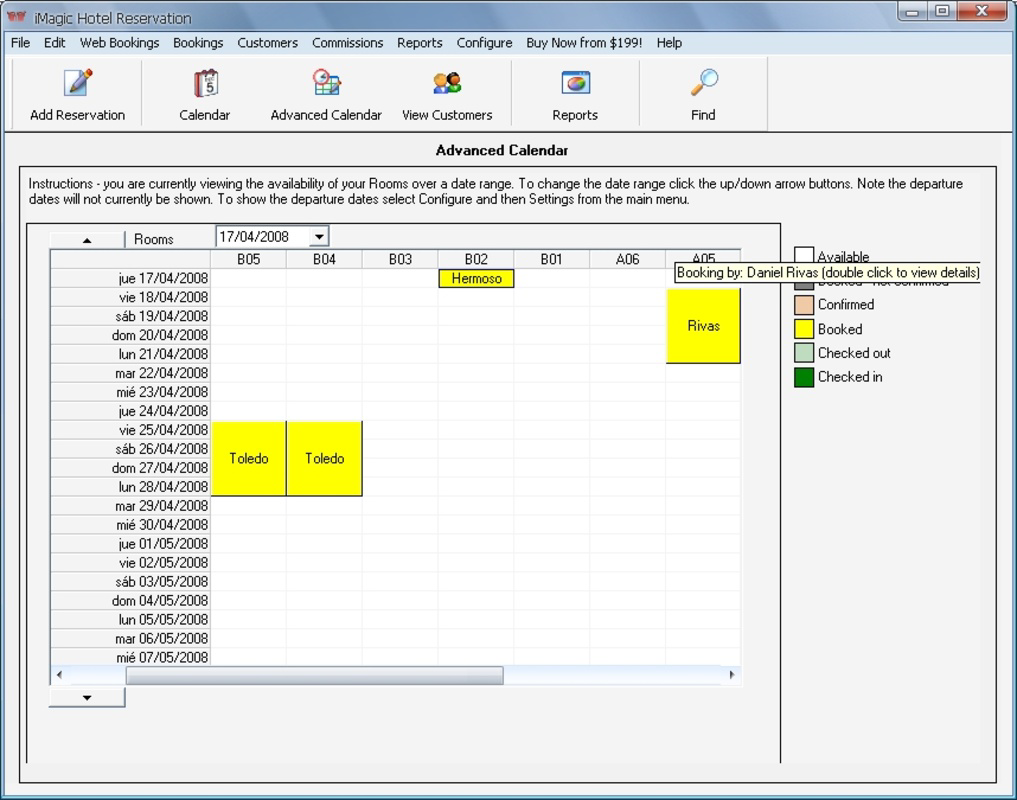
- Room availability tracking: Visualize which rooms are occupied or available across different dates.
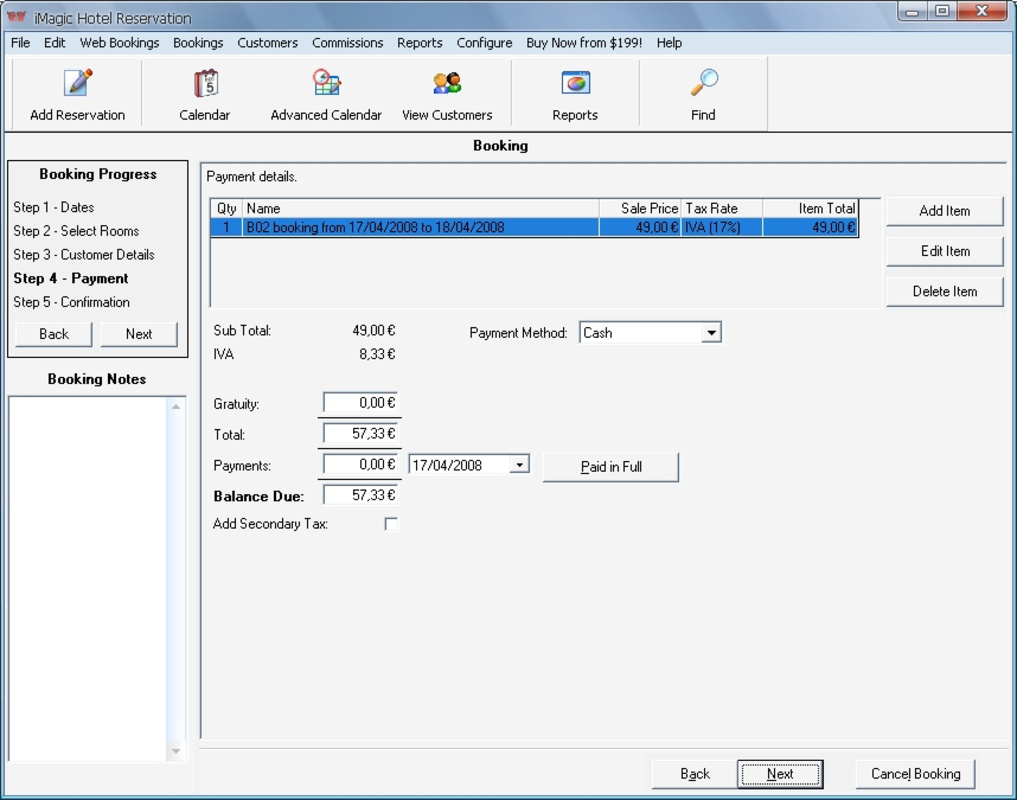
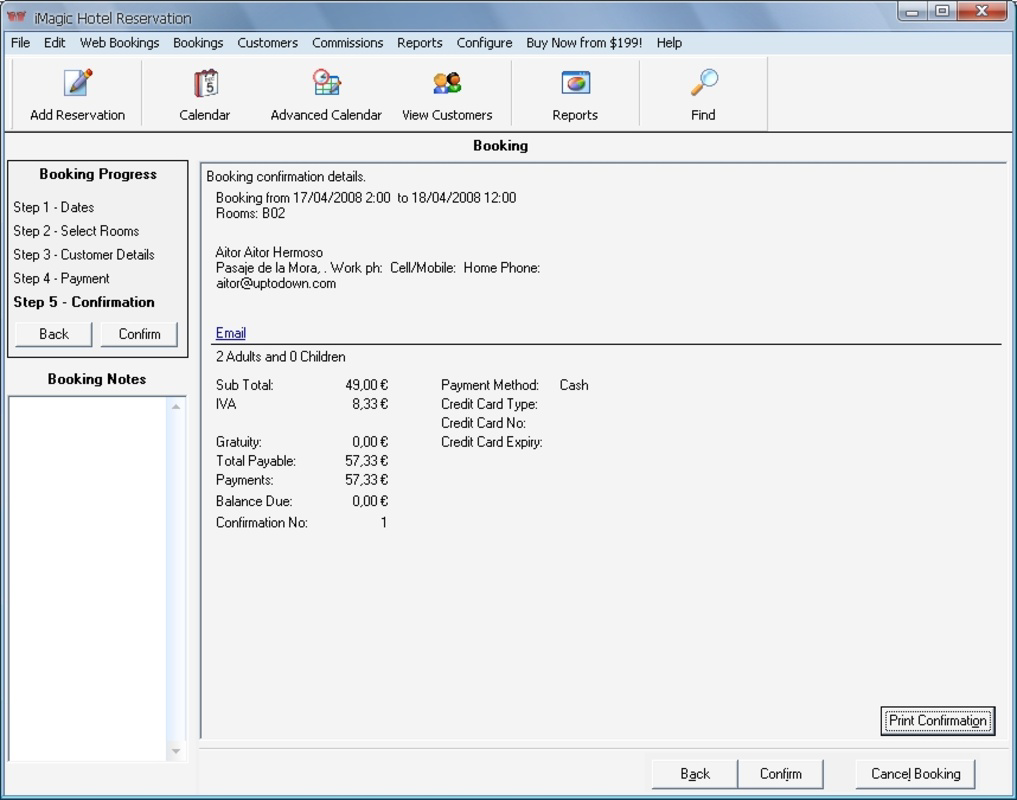
- Quick booking entry: Input new reservations with essential details such as guest name, room type, and stay duration.
- Centralized booking calendar: Access a unified view of all upcoming reservations.
- Offline access to basic data: Maintain access to key booking information even without an internet connection.
Interface, UX & Performance
The user interface of iMagic Hotel Reservation is designed with clarity and functionality in mind. The layout is clean and uncluttered, prioritizing essential actions such as viewing reservations and checking room availability. Navigation is intuitive, with a bottom tab bar providing quick access to key sections like the calendar, bookings list, and settings. Visual style leans toward minimalism, using consistent color schemes and readable typography to enhance legibility on smaller screens. Buttons and input fields are appropriately sized for touch interaction, reducing the likelihood of accidental taps. The app responds promptly to user inputs, with transitions between screens smooth and predictable. Although the developer did not list formal performance metrics, the app’s file size of 3.4 MB suggests optimized code and minimal resource consumption. This indicates that it is likely to run efficiently on a wide range of Android devices, including entry-level models with limited processing power and memory. The app maintains stability during routine operations, with no reported crashes or freezes in standard usage scenarios. Responsiveness is consistent across different screen sizes and orientations, ensuring a reliable experience whether used in portrait or landscape mode. The interface adapts well to varying display densities, preserving readability and layout integrity. While no specific information was provided about battery usage or background performance, the app’s lightweight nature implies low impact on device resources. Overall, the user experience is focused on speed and ease of use. The learning curve is shallow, allowing new users to become proficient within minutes. The design reflects a clear understanding of the needs of on-the-go hospitality staff, emphasizing accessibility and practicality.Platform Compatibility & Technical Requirements
iMagic Hotel Reservation is available exclusively on the Android platform. The app is compatible with devices running Android OS, though specific minimum OS versions were not listed by the developer. This lack of detail means users should ensure their device meets general Android compatibility standards. The application has a file size of 3.4 MB, which is notably small for a mobile app. This indicates efficient code optimization and minimal reliance on large libraries or media assets. The compact size allows for quick installation and easy storage management, particularly beneficial for users with limited device space. The developer did not specify minimum RAM, processor requirements, or screen resolution standards. As such, compatibility with specific device categories cannot be confirmed. However, the app’s lightweight footprint suggests it is likely to function on a broad range of Android devices, including budget smartphones and tablets. No information was provided about app updates or future compatibility plans. Users should monitor the app store for updates to ensure continued functionality. The app is currently available for free, with no in-app purchases or subscriptions disclosed.Pros and Cons
- Lightweight design at just 3.4 MB, ideal for low-storage devices
- Simple, intuitive interface suitable for non-technical users
- Free to download and use with no hidden costs
- Real-time room availability tracking for accurate booking management
- Offline access to core booking data enhances usability in low-connectivity areas
- Specific OS version requirements were not disclosed
- No visible integration with third-party booking platforms or payment systems
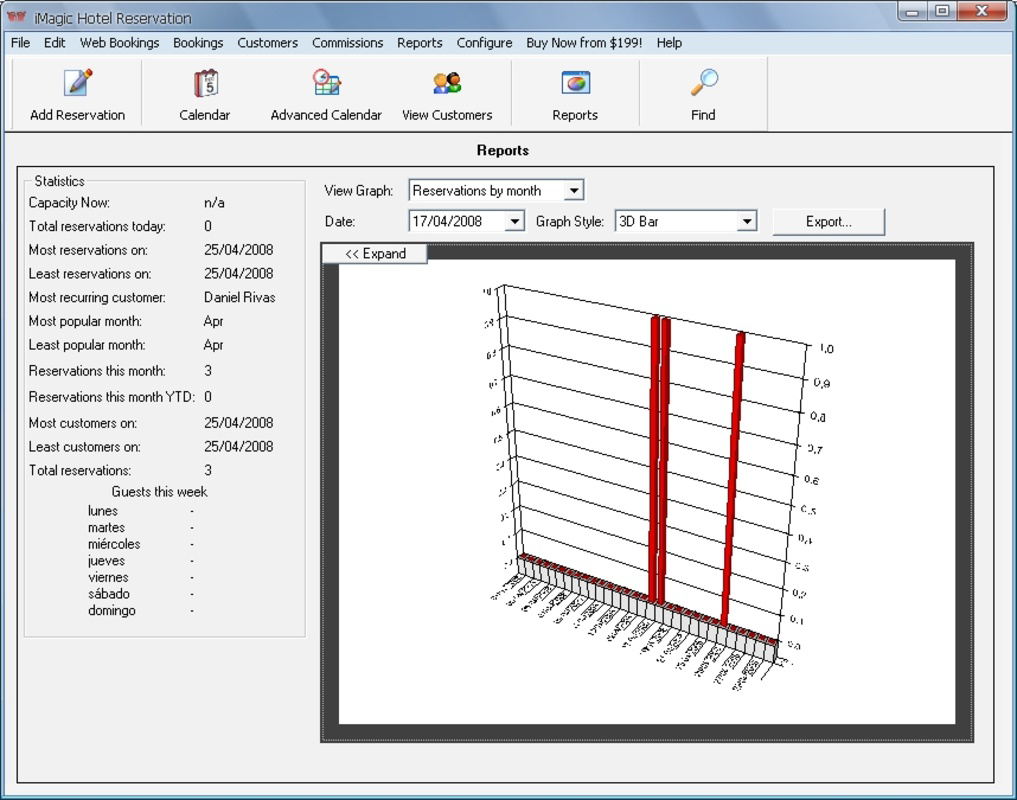
- Advanced features like guest communication tools or reporting were not mentioned
- Limited customization options for reservation templates or user roles
- Developer did not provide details on update frequency or long-term support
FAQ
Is iMagic Hotel Reservation available for iOS?
The app is currently available only on the Android platform. No iOS version has been announced.
Can I use this app without an internet connection?
Yes, the app allows access to basic booking data offline, which is useful for on-site operations in areas with poor connectivity.
Does the app support multiple properties?
The app’s ability to manage multiple properties was not specified. Users should test the functionality based on their needs.
Is there a paid version or in-app purchases?
Currently, the app is free to download and use. No in-app purchases or subscription models were listed.
How often is the app updated?
The developer did not disclose the update frequency. Users should check the app store for the latest version.
Final Thoughts
iMagic Hotel Reservation offers a focused, no-frills solution for small hospitality providers looking to digitize their booking processes. Its lightweight design, intuitive interface, and free availability make it an accessible tool for independent hoteliers, B&B owners, and short-term rental managers. While it lacks advanced integrations and reporting features, its core functionality is reliable and well-suited for daily operational tasks. The app excels in simplicity and efficiency, providing essential tools without overwhelming users with complexity. It is particularly valuable for teams that need mobile access to reservation data without investing in expensive software. For those seeking a straightforward, cost-effective way to manage hotel bookings on Android, this app delivers tangible value. Download iMagic Hotel Reservation nowGuides & Tutorials
How to install iMagic Hotel Reservation
- Click the Download button above.
- Once redirected, accept the terms and click Install.
- Wait for the iMagic Hotel Reservation download to finish on your device.
How to use iMagic Hotel Reservation
This software is primarily used for its core features described above. Open the app after installation to explore its capabilities.
User Reviews
No reviews yet. Be the first to share your experience.
You may also like
more
Que no te pillen¡
About !Que no te pillen¡Reviewed by Jason A. BilbreyShow MoreShow Less

3D Combat Zone
About 3D Combat ZoneOriginally released in 1983, 3D Combat Zone immerses players...

666: El día del portal
About 666: El día del portalOn June 6, 2006, Agent P. Stone uncovers a sinister...

80 in 1 Best Flash games
About 80 in 1 Best Flash games 80 in 1 Best Flash games is a collection of 80 fl...

ABYSS SEEKERーーWhat Do You See Deep in The Abyss
About ABYSS SEEKERーーWhat Do You See Deep in The AbyssIn ABYSS SEEKER, players...

ACA NEOGEO THE KING OF FIGHTERS 2002 for Windows
About ACA NEOGEO THE KING OF FIGHTERS 2002 for WindowsTHE KING OF FIGHTERS 2002,...